
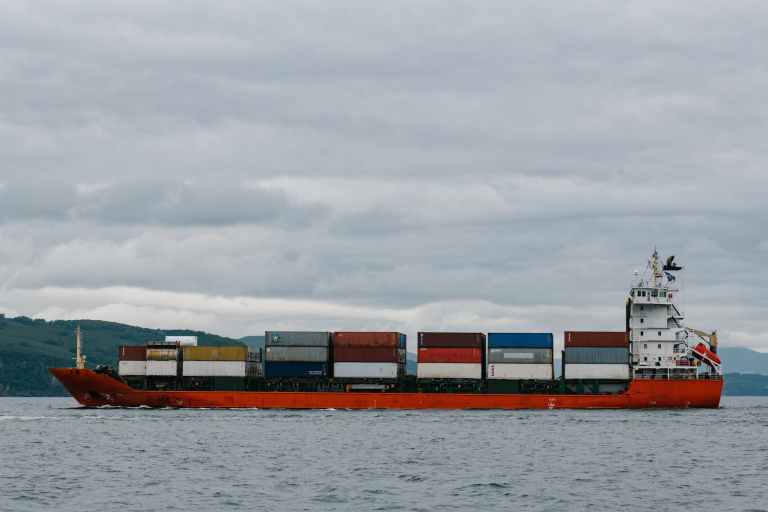
How to import and export goods in Free Zone Sharjah?
To import and export goods in free zone sharjah ,Import and export procedures in Free Zone of Sharjah, require compliance with relevant laws, regulations, and procedures. This guide will provide an overview of the process and the necessary steps to import and export goods in the Free Zone of Sharjah.
The Free Zone of Sharjah is a designated area in the United Arab Emirates (UAE) that facilitates the import and export of goods in a tax-free environment. It is governed by the Sharjah Airport International Free Zone Authority (SAIF Zone), which was established in 1995 and has since become a prominent business hub in the region.
Importing Goods in the Free Zone of Sharjah:
1. Register a Company: The first step is to register a company in the Free Zone of Sharjah. This requires submitting the necessary documents, including a copy of the trade license, passport copies of shareholders, and a completed application form.
2. Obtain Import Permit: After company registration, an import permit needs to be obtained from the SAIF Zone Authority. The permit is valid for one year and can be renewed annually.
3. Choose a Customs Clearing Agent: To facilitate the customs clearance process, it is advisable to engage the services of a reputable customs clearing agent who will handle all the necessary paperwork and procedures.
4. Submit Import Documents: The importer needs to submit the relevant import documents, including a commercial invoice, packing list, bill of lading or airway bill, and a copy of the import permit, to the customs clearing agent.
5. Customs Clearance: The customs clearing agent will proceed to submit the import declaration through Mirsal 2, an electronic customs declaration system in the UAE. The customs authorities will verify the goods and assess any applicable customs duties or taxes.
6. Pay Customs Duties and Taxes: Once the customs duties and taxes are determined, they need to be paid to the customs authorities. The payment can be made through various channels, including online banking or in-person at designated customs offices.
7. Take Delivery of Goods: After completing the customs clearance process, the goods can be taken delivery of and stored in the warehouse within the Free Zone of Sharjah or distributed for sale within the UAE.
Exporting Goods from the Free Zone of Sharjah:
1. Register a Company: Similar to the import process, the first step is to register a company in the Free Zone of Sharjah.
2. Obtain Export Permit: An export permit needs to be obtained from the SAIF Zone Authority. The permit is valid for one year and can be renewed annually.
3. Choose a Customs Clearing Agent: Engage the services of a customs clearing agent to handle the necessary paperwork and procedure.
4. Submit Export Documents: The exporter needs to submit the relevant export documents, including a commercial invoice, packing list, bill of lading or airway bill, and a copy of the export permit, to the customs clearing agent.
5. Customs Clearance: The customs clearing agent will submit the export declaration through Mirsal 2. The customs authorities will verify the goods and complete the necessary customs procedures.
6. Obtain Customs Clearance Certificate: Once the customs procedures are completed, a customs clearance certificate will be issued by the customs authorities, confirming the goods are cleared for export.
7. Deliver Goods to the Port of Departure: The exporter is responsible for delivering the goods to the designated port of departure for transportation to the destination country.
Conclusion:
The Free Zone of Sharjah provides a favorable business environment for imports and exports. However, it is crucial to comply with the relevant laws and regulations to ensure a smooth and efficient import/export process. By following the steps outlined in this guide, businesses can successfully import and export goods in the Free Zone of Sharjah. If you are serious about importing or exporting goods in Free Zone Sharjah, I recommend that you contact BizDaddy today.